mBit Mobile and PWA Experience
Updated November 2026
Licensed
 Available in GB
Fast payouts
18+ Only
Table of Contents
- mBit combines responsive browser play with a PWA option
- A PWA reduces launch friction without changing the underlying account
- Crypto wallet handoffs are the most delicate part of mobile use
- A phone combines casino access, recovery channels and wallets in one place
- Responsive design keeps the catalogue usable, but game rules still need room
- Questions about mBit mobile
- mBit’s mobile convenience still needs deliberate transfer checks
Section element
PWA, browser use and wallet handoffs
mBit is described as fully responsive in a mobile browser and also offers a Progressive Web App experience. The mobile experience is described without a reduced feature set, so the practical questions are less about a separate mobile product and more about screen flow, account security and switching safely between the casino and a crypto wallet. The full assessment is in our mBit Casino review.
mBit combines responsive browser play with a PWA option
The mobile implementation is described as a fully responsive browser experience with a Progressive Web App option and no reduced feature set. That gives readers two closely related ways to use the same service from a phone.
| Use mode | mBit fact | Practical consequence |
|---|---|---|
| Mobile browser | Fully responsive experience. | Open mBit in the browser and use the interface without needing a separate desktop workflow. |
| PWA | Progressive Web App available. | A supported browser can provide a more app-like launch experience from the device home screen. |
| Feature access | The mobile experience is described without feature reduction. | Payments, games and account tasks should be approached as full account actions, not as a simplified companion mode. |
A PWA reduces launch friction without changing the underlying account
A Progressive Web App uses web technology but can be launched more like an installed application when the browser and device support that feature. For mBit, the practical benefit is a cleaner path back to the casino without relying on a permanently open browser tab.- Open mBit in the mobile browser. Start from the normal web version rather than an old saved session you no longer recognize.
- Use the browser’s install or home-screen option. The exact label depends on the browser and device.
- Launch from the new icon. The PWA can open in a more app-like window while remaining tied to the web service.
- Keep account security separate from convenience. A home-screen icon makes access faster, so device security becomes more important rather than less.
Crypto wallet handoffs are the most delicate part of mobile use
On a phone, the casino and wallet can sit only a few swipes apart. That shortens the deposit or withdrawal workflow, but it also makes it easy to approve a transaction after switching apps without rechecking the details shown in the cashier.Before approving a transfer
- Confirm the cryptocurrency ticker in both the cashier and wallet.
- Match the network shown by the casino with the network selected in the wallet.
- Recheck the destination address after switching between apps.
- Compare the amount with the current deposit or withdrawal minimum.
Watch for mobile shortcuts
- A saved wallet address can be out of context for the current transaction.
- A token ticker alone may not identify the correct network.
- Clipboard mistakes are harder to notice on a small screen.
- An app switch can make you forget which amount or network the cashier displayed.
A phone combines casino access, recovery channels and wallets in one place
Desktop use often separates the casino, email and wallet across different devices or windows. Mobile use can concentrate all three on one phone. That makes device-level security part of the account workflow rather than a background concern.Casino session
Keep control of the logged-in session and close it when the device is shared or left unattended.Recovery channel
Email or another account-recovery method may be accessible on the same phone, so losing device access can affect more than the casino session itself.Crypto wallet
A wallet on the same device can approve irreversible transfers. Verify the transaction details independently of the casino screen before signing.Screen lockProtects the device layer before anyone reaches the browser, PWA or wallet.
Account sessionControls access to the casino balance and account actions.
Wallet approvalAuthorizes blockchain movement and should never be treated as a routine tap-through step.
Responsive design keeps the catalogue usable, but game rules still need room
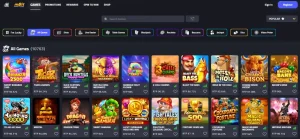
mBit’s mobile interface is fully responsive without a reduced feature set. That makes it practical to browse the same broad game catalogue from a phone, including provider games, live casino content and originals. Small screens change how information is consumed even when the underlying functions remain available. A game lobby can emphasize artwork and categories while rules, paytables or table limits sit one layer deeper. Open those details before betting rather than assuming the compact lobby card tells you everything relevant.- Identify the provider or game type. Provider games, live tables and mBit originals have different information to check.
- Open the rules panel. Read bet limits, paytable details and special mechanics before starting.
- Check bonus contribution separately. Mobile access does not change the wagering rules attached to a promotion.
- Use a preset session limit. A phone can remove natural stopping points because the casino stays available wherever the device goes.
Section element
mBit’s current PWA page describes the installation as a browser-based home-screen shortcut for iOS and Android. It is designed to update automatically and use little device storage because the service remains web-based. That convenience does not change the need to protect the casino login, wallet app and device lock separately, especially when the same phone is used to approve crypto transfers.
Questions about mBit mobile
Does mBit work on mobile?
Yes. mBit is described as fully responsive in a mobile browser and also supports a Progressive Web App experience.
What is the mBit PWA?
A Progressive Web App lets a supported browser present the site more like an installed app while still using web technology. mBit is described as offering this PWA option alongside the responsive browser experience.
Are mBit mobile features reduced?
The mobile experience is fully responsive without a reduced feature set.
Can I use a crypto wallet while playing on mobile?
Yes, but wallet approval and casino use may involve switching between the browser or PWA and a wallet app. Check the asset, network and destination before approving a transfer.
Is a PWA the same as a normal website tab?
Both use the web version of the service, but a PWA can provide a more app-like launch and home-screen experience when the browser supports installation.